
What’s Fusion Voice?
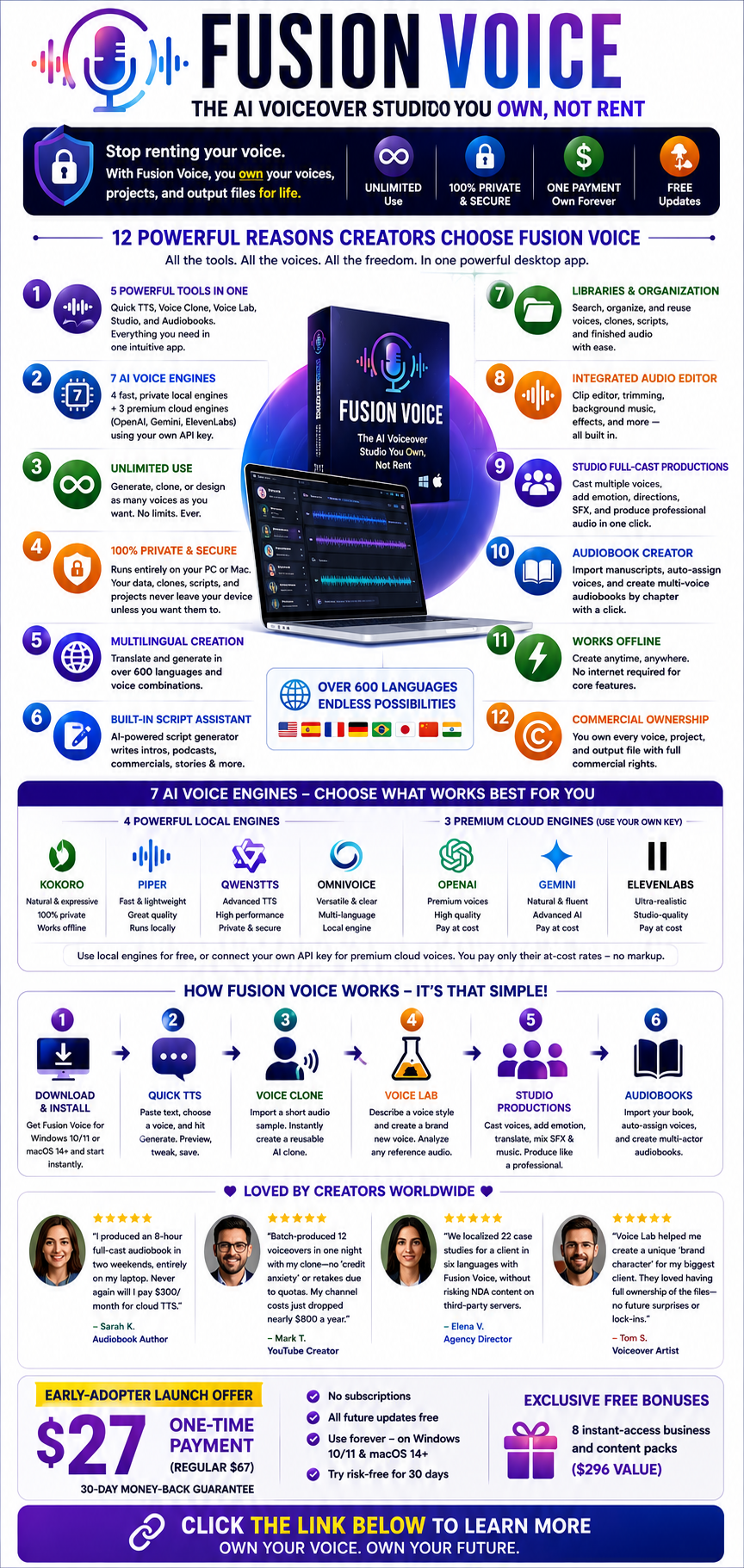
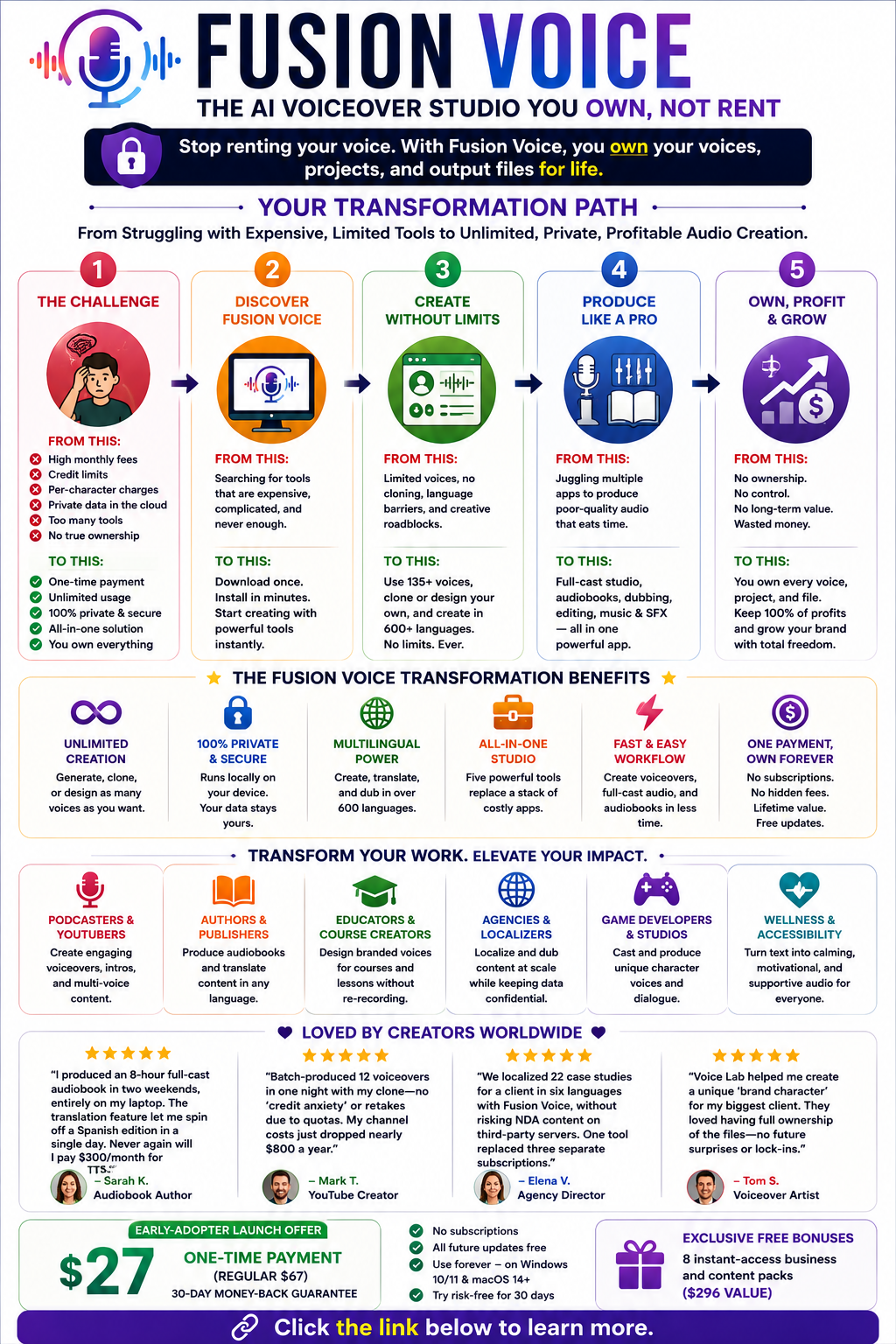
Fusion Voice is an innovative desktop AI voice generator and voice studio that puts creative professionals and businesses fully in control of their audio projects. Unlike most cloud-based solutions, Fusion Voice is a downloadable Windows and macOS app that runs 100% locally — meaning users get unlimited AI voice generation, voice cloning, full-cast audio production, and more, with no per-character fees or ongoing subscriptions.
Key Promise:
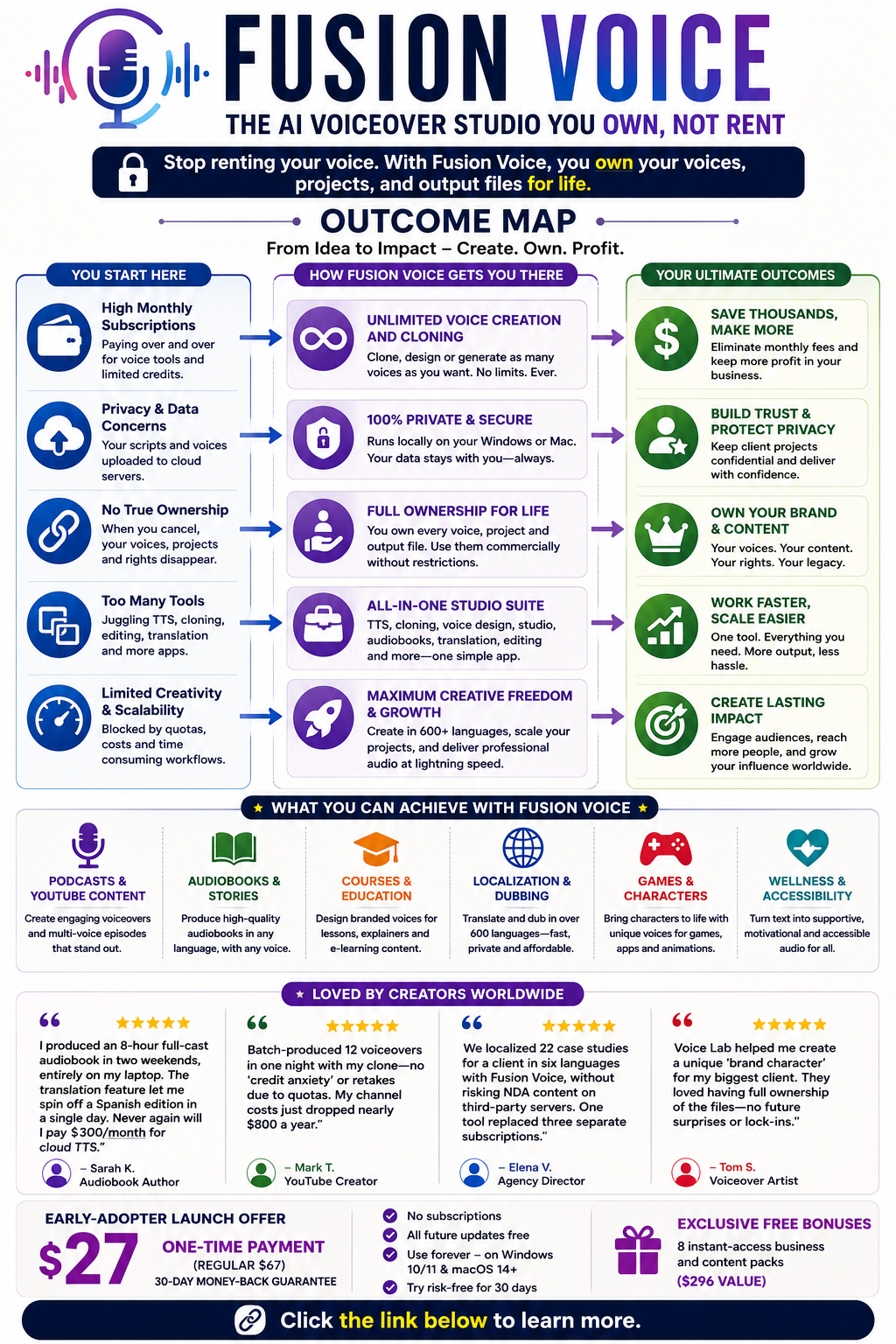
Stop renting your voice. With Fusion Voice, you own your voices, projects, and output files for life.
What sets Fusion Voice apart?
Unlimited use: Generate, clone, or design as many voices as you want.
Privacy: Everything runs on your device. Audio, clones, and scripts are never uploaded or shared unless you want them to be.
One payment: Own the software for life. Get free updates. No upgrades or character pack surprises.
Premium voice options: Use free local engines or bring your own API key for OpenAI, Gemini, or ElevenLabs premium voices. Pay only their “at cost” rates, no markup.
Unlock unlimited AI voice generation — download Fusion Voice today.
Why Creators Need Fusion Voice Today
Most creators have felt the pain of using cloud-based voice tools:
You pay for a monthly “seat” or credits, regardless of how often you need them.
Each generated word or character ships off to someone else’s server—often outside your control or privacy comfort zone.
When budgets get tight and you pause a subscription, all your custom voices, projects, and rights evaporate.
Features you need (cloning, script tools, multilanguage dubbing) are siloed in different apps, slowing you down and driving up costs.
Fusion Voice solves every one of those problems at once:
It replaces a stack of audio, TTS, and scriptwriting subscriptions with a single, affordable desktop toolset.
It empowers you to produce professional audio in over 600 languages, mix multiple AI voice engines, and maintain client or project confidentiality — all without ongoing bills or worrying about peruse quotas.
It’s designed for the real-world workflows of content creators, authors, publishers, educators, marketers, coaches, and entrepreneurs… not just hobbyists.
Fusion Voice Main Features at a Glance
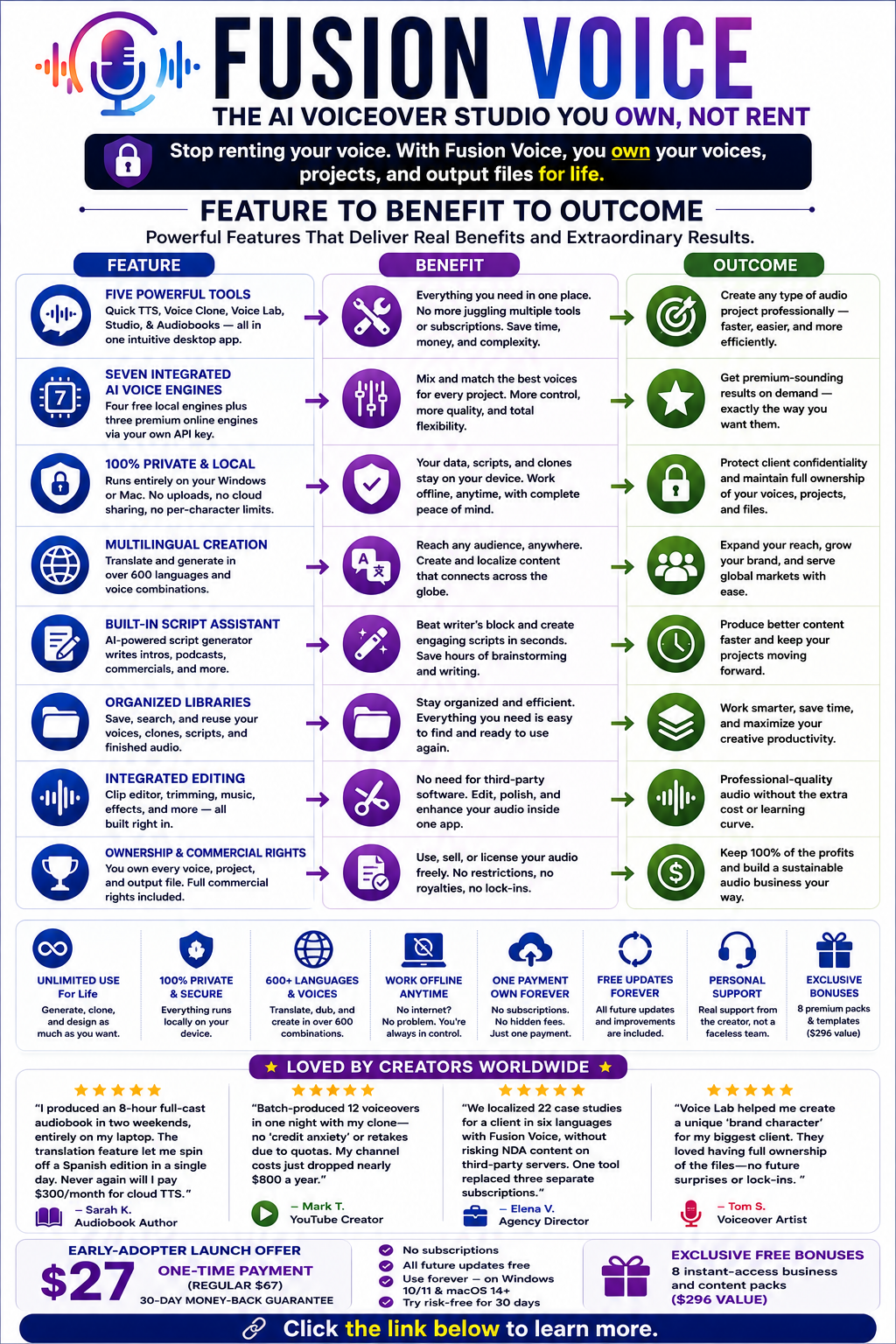
1. Five Powerful Tools in One:
Quick TTS: Instantly turn text into natural-sounding voiceovers. Choose from 135+ voices across 7 engines.
Voice Clone: Clone any voice using just a few seconds of sample audio — safely and locally.
Voice Lab: Design a new voice from a written description (e.g., “warm, wise, middle-aged with a slight Irish accent”) — no actor needed.
Studio: Fullcast productions for podcasts, commercials, audiobooks, or dialogues. Assign different voices, directions, and languages to each line or character.
Audiobooks: Import manuscripts (txt, pdf, docx, subtitle files) and create chaptered, multivoice audiobooks with a click.
2. Seven Integrated AI Voice Engines:
Four free, fast, private local engines (Kokoro, Piper, Qwen3TTS, and OmniVoice); three premium cloud engines (OpenAI, Gemini, and ElevenLabs) via your own account key.
3. Unlimited, Private Workflow:
Runs entirely on your PC or Mac. Stay productive even without internet and keep all your data to yourself.
4. Multilingual Creation:
Translate and generate in over 600 supported language/voice combinations. Localize dubbing and narration in-house.
5. Built-in Script Assistance:
A built-in AI script generator writes intros, podcast segments, commercial copy, or story dialogue.
6. Libraries and Organization:
Searchable voice and audio libraries to save, sort, and reuse your custom voices and finished work.
7. Integrated Editing:
Clip editor, waveform trimming, background music, and effects search — all without third-party audio apps.
Start creating professional voiceovers on your own desktop — try Fusion Voice now.
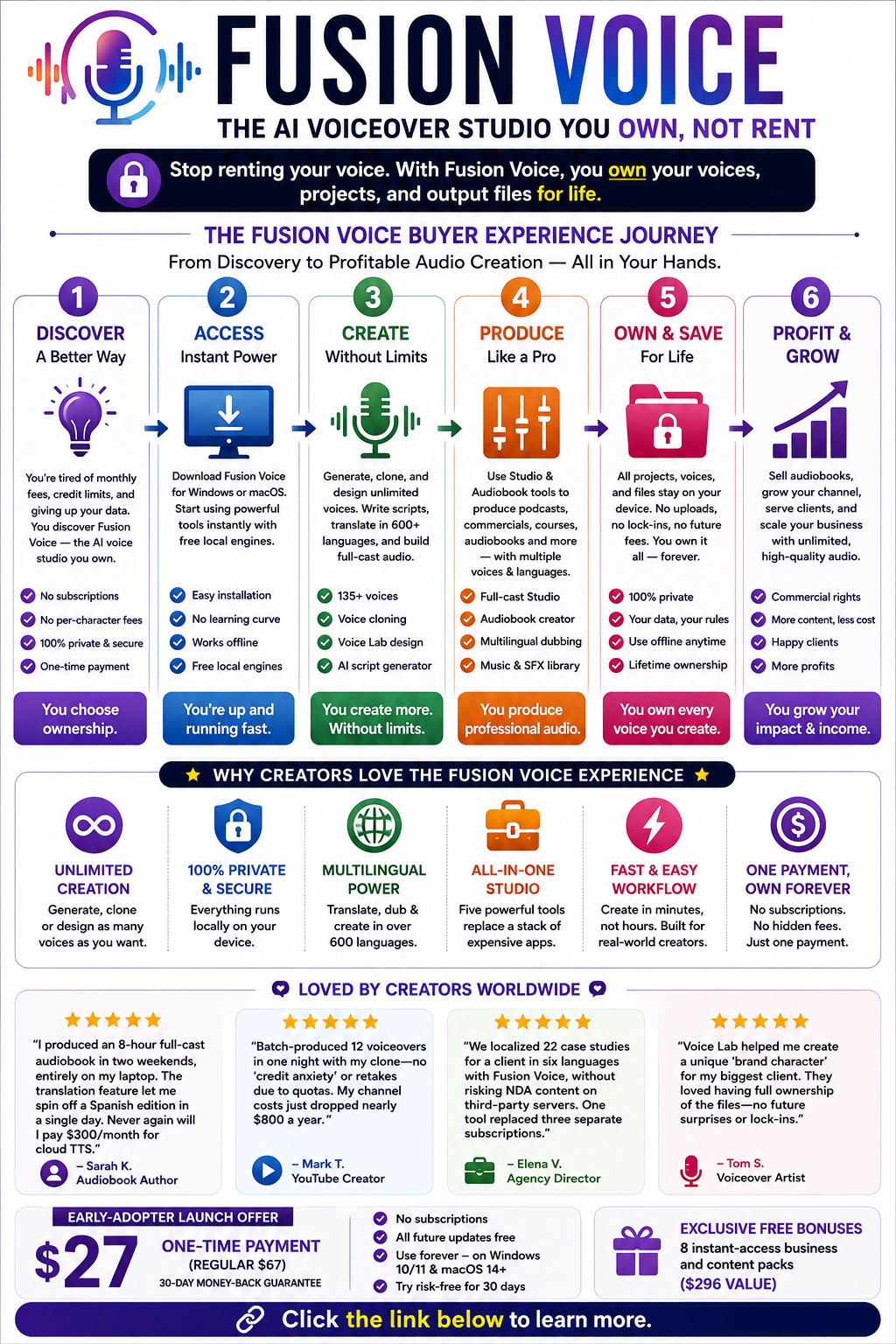
How Fusion Voice Works: Step-by-Step Walkthrough
1. Installation and Setup
Download Fusion Voice for Windows 10/11 or macOS 14+
Start with the free local engines — no subscriptions, no credit cards needed
2. Quick TTS
Paste your text, select a voice/engine, and hit “Generate.”
Preview, tweak speed/style, and immediately save to your audio library
3. Voice Cloning
Import a short audio sample (record, upload, or grab from a URL)
Fusion Voice instantly creates a reusable AI clone (on your device)
Your clone is now available for any future project — no additional cost
4. Voice Lab
Type a style description, e.g., “serious, older male with a calming British accent.”
Generate a brand-new voice, ready to narrate scripts, dialogue, or audiobooks
Analyze any reference audio for inspiration (without cloning or copyright gray areas)
5. Studio Productions
Import scripts, podcasts, or even YouTube transcripts
Cast multiple voices/engines in one production
Add emotion, translate lines, mix music & sound effects from built-in libraries.
Render a complete multivoice, multilanguage audio file in one click
6. Audiobook Authoring
Drag in a book file (txt, doc, pdf, or subtitle)
AI identifies narrators and characters, autoassigns voices
Render by chapter or export a complete multi-actor audiobook
All output stays on your machine, ready to use, publish, sell, or share.
Own your audio: get Fusion Voice and ditch subscription-based voice tools for good.
Use Cases: Who Benefits Most from Fusion Voice?
1. Podcasters & YouTube Creators
Rapidly generate and test scripts, voiceovers, and intros
Build multivoice scenes, narration, or custom characters to stand out from the crowd
2. Audiobook Authors & Publishers
Create high-quality audiobooks with full cast options—on any budget, no studio time needed
Instantly localize and narrate in 600+ languages
3. Educators & Course Creators
Design branded or differentiated voice styles for every course or lesson
Update content without re-recording entire modules
4. Localization & Agencies
Bulk translate and dub content with context-aware voices for international clients
Keep confidential scripts onpremises for NDAs
5. Game Developers & Indie Studios
Quickly cast and produce hundreds of character voices for dialogue, NPCs, cutscenes, and promos
6. Accessibility and Wellness Creators
Transform text into calming, supportive, or motivational audio accessible to broader audiences
Transform books into full-cast audiobooks — see how Fusion Voice makes it easy.
Real-World Results & Testimonials
Audiobook Author:
“I produced an 8-hour full-cast audiobook in two weekends, entirely on my laptop. The translation feature let me spin off a Spanish edition in a single day. Never again will I pay $300/month for cloud TTS.” — Sarah K.
YouTube Channel Owner:
“Batch-produced 12 voiceovers in one night with my clone—no ‘credit anxiety’ or retakes due to quotas. My channel costs just dropped nearly $800 a year.” — Mark T.
Agency Director:
“We localized 22 case studies for a client in six languages with Fusion Voice, without risking NDA content on third-party servers. One tool replaced three separate subscriptions.” — Elena V.
Voiceover Artist:
“Voice Lab helped me create a unique ‘brand character’ for my biggest client. They loved having full ownership of the files—no future surprises or lockins.” — Tom S.
Clone your voice safely and instantly — experience Fusion Voice’s local voice cloning.
Pricing, Bonuses, and Lifetime Value
Early Adopter Launch Offer:
$27 onetime payment (regular $67)
Instant access: No subscriptions, perusal fees, or upsells
30-day money-back guarantee—try risk-free.
Exclusive Free Bonuses:
8 instant-access business and content packs (voice-style recipes, scripts, story libraries, commercial templates, and more — $296 value)
Updates:
All future updates included free
Personal support (from the creator, not a faceless team)
This one payment can replace hundreds (even thousands) in ongoing software costs for serious audio creators.
FAQ: All About Fusion Voice
Q: Do I really get unlimited usage forever?
A: Yes! All local voice generation, cloning, and designing are unlimited for life. Cloud engines (OpenAI, Gemini, and ElevenLabs) are optional and use your own key only when you want their extra polish.
Q: Can I use my creations commercially?
A: Absolutely, your license covers full commercial use—sell audiobooks, voice services, podcasts, or course content freely.
Q: What’s required to run Fusion Voice?
A: Windows 10/11 or macOS 14+ (native for Apple Silicon). No internet needed for core features.
Q: Is it easy to transfer or back up my projects?
A: Yes, you can back up your voice and audio libraries in one zip and restore them on any machine.
Conclusion: Should You Invest in Fusion Voice?
If you’re tired of paying recurring fees for every minute of audio you produce—*and* ready to claim true ownership over every AI voice you create, Fusion Voice is the breakthrough you’ve been waiting for.
Instead of settling for subscription-based voice tools or risking privacy with every upload, you can finally keep your voices, data, and profits inhouse. Fusion Voice offers the ultimate set of tools for podcasters, authors, educators, agencies, and anyone producing audio content at scale—unlimited, private, and affordable. Take a closer look at Fusion Voice here and finally own your creative output.
