

Search “best transcription solution” or “how to bulk transcribe video”—and you’ll find the same complaints, year after year. Whether you’re a content creator who needs podcast show notes, a researcher with hours of interviews, an agency processing endless video content, or a marketer looking to squeeze every drop of SEO juice, transcription bottlenecks are a common, infuriating roadblock.
You want something truly unlimited—no more cloud uploads, no more nickel-and-dime billing, and no surprise usage limits or late-night panic over client deadlines. Just one solution that’s private, fast, doesn’t risk sending your sensitive audio offsite, and doesn’t punish you with “overages” when you’re working hardest.
For years, aspiring to this kind of workflow meant either paying huge monthly bills, settling for glitchy freeware, or wresting with exports and editor issues at every turn. If you’ve landed on this article, you’re probably tired of all that. The good news? By the time you finish reading, you’ll know exactly how cold search traffic (just like you!) is finding true, sustainable, and privacy-first transcription—with zero ongoing costs and a lot more power.
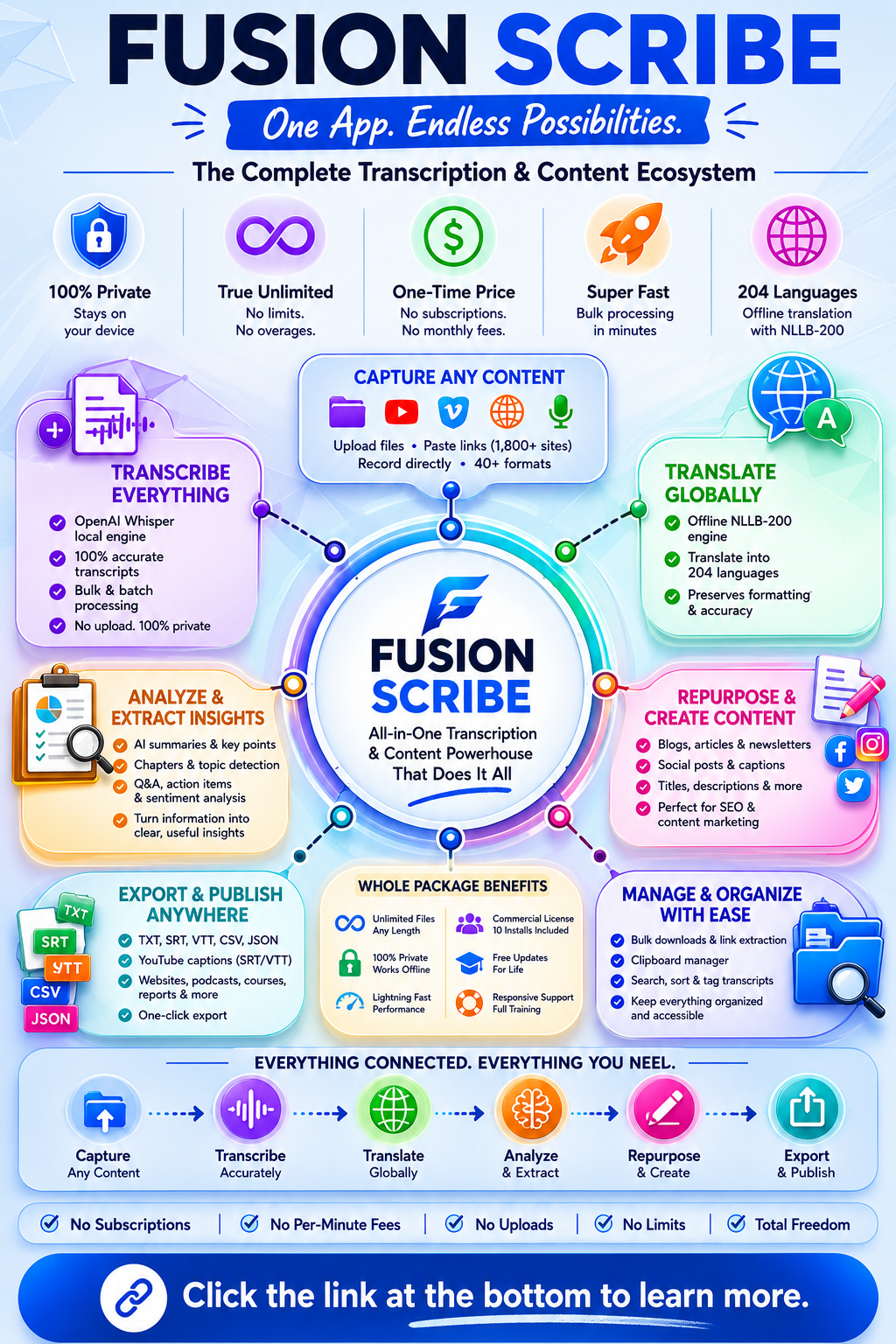
Why Most Transcription Solutions Just Make Things Harder
Let’s own the pain points—because you’ve probably experienced each firsthand.
1. Cloud-Only Tools = Privacy Nightmare
Platforms like Otter.ai, Descript, or Rev often require uploading all your private or sensitive media files to their servers. For anyone bound by confidentiality agreements, regulatory compliance, or simply wanting to keep proprietary work in-house, this is an immediate dealbreaker.
2. Endless Subscriptions and Usage Traps
That “unlimited” headline? Check the small print. Most services aren’t truly unlimited: they cap your transcription minutes at 300-600/month unless you pay enterprise fees, or they surprise you with throttling and restrictions as your usage climbs. Exceed the cap, and you’ll either hit delays—or pay more, quickly blowing past $500/year for just a few features.
3. Limited Formats, Awkward Workflows
One service spits out only plain text—great, but now you need captions for YouTube. Another offers .SRT but can’t handle batch processing. Actually editing or repurposing? Good luck: most make you jump between applications or lock you into proprietary file types.
4. Slow, Manual Processing
Let’s say you have a 20-hour archive or a playlist of webinars. Cloud tools often process files sequentially and throttle uploads. Downloading, organizing, and exporting becomes a tedious, error-prone marathon.
5. Paying for Your Own Data, Over and Over
Every time you re-run a transcript, or translate to another language, or want AI analysis…you pay again. For regular creators, teams, and agencies, this builds into hundreds or thousands spent per year just to access content you already own.
Most tools are built for the vendor’s recurring revenue—not your productivity, privacy, or real-world flexibility. That’s why real progress needs a new model.
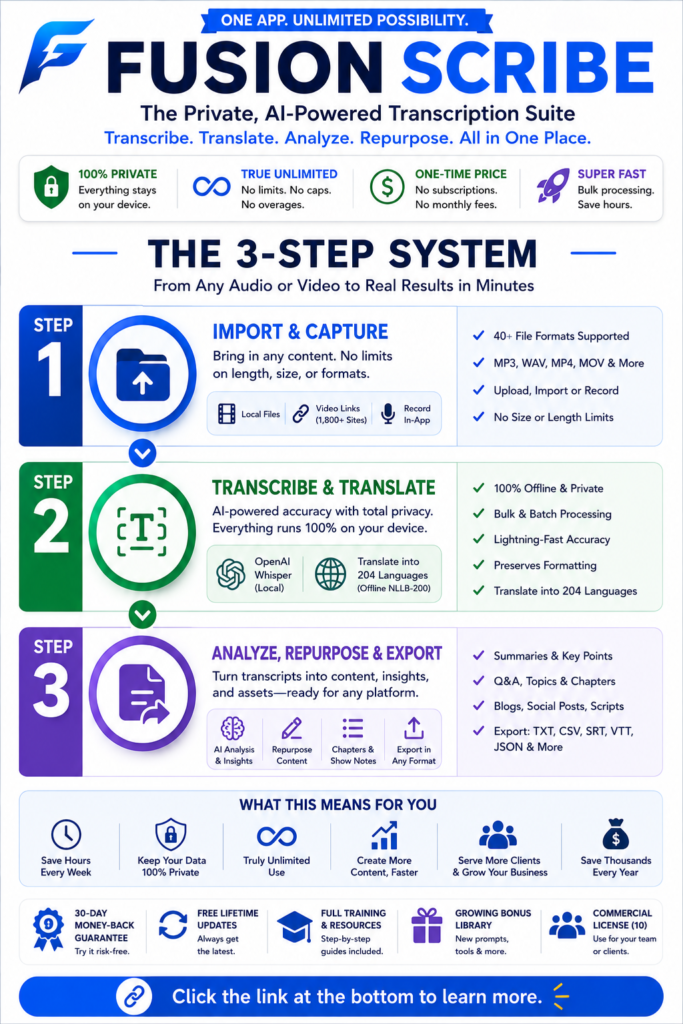
The Fundamental Shift: What Makes True Unlimited Transcription Possible?
Why Local, AI-Powered Transcription Changes Everything
The real breakthrough in 2026 comes from bringing the best speech-to-text engines—which previously required the cloud—right onto your computer. Instead of farming your raw audio and video out to someone else’s server, you run models like [OpenAI Whisper](https://openai.com/research/whisper) locally, making the entire workflow:
– Unlimited (no usage caps or file limits)
– Private (never leaves your device)
– Affordable (no recurring costs, ever)
– Ultra-capable (the latest AI tools, language models, and bulk processing at your fingertips)
Who wins with this approach? Anyone who values privacy, workflow speed, or just wants to end the slow bleed of SaaS billing. Whether you’re a solo content creator, a marketing agency, a researcher, or a team needing to process dozens of files at a time, running transcription and translation “on-device” means you finally set the rules.
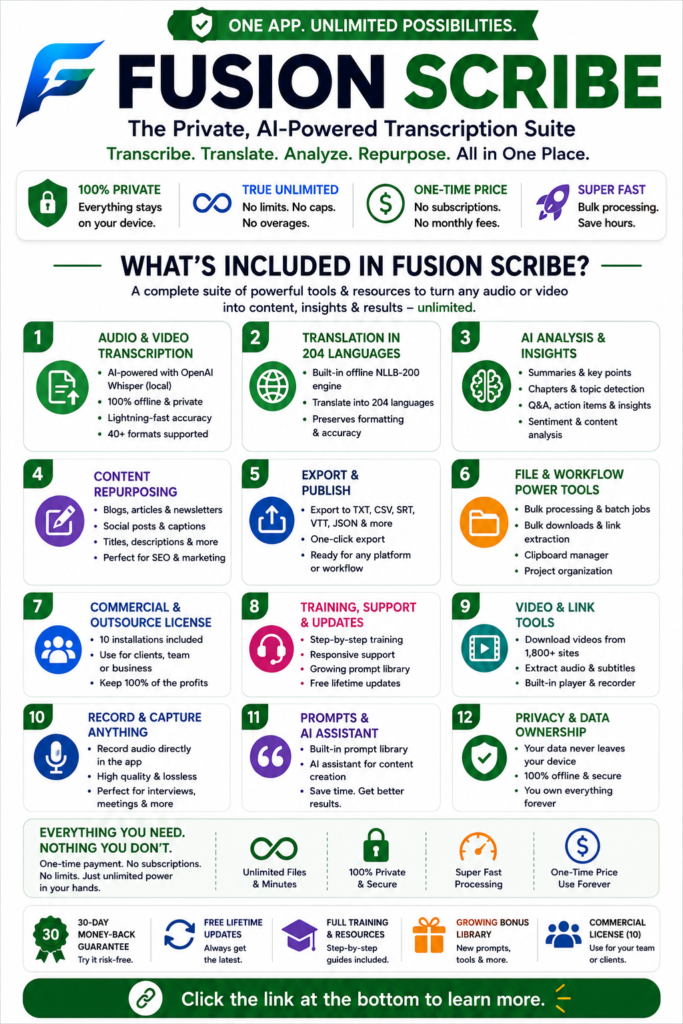
Meet the Solution: Fusion Scribe
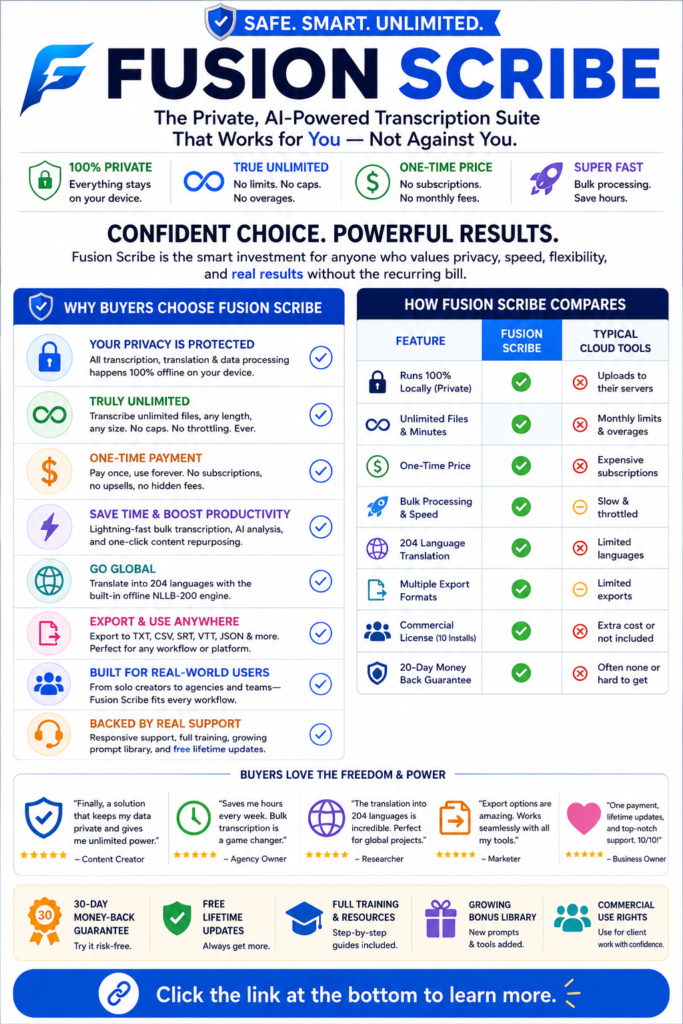
– One-time price (no subscription, no upsells, free updates)
– Bulk and batch processing for unlimited files, formats, and workflows
– Built-in AI analysis and content repurposing—summaries, chapters, and social posts—in one click
– Offline translation engine ([NLLB-200](https://ai.facebook.com/research/no-language-left-behind/)) supporting 204 languages, with formatting preserved
– Commercial and outsourced licenses (for teams/services)—10 installs, included
– Export to TXT, CSV, SRT, VTT, and JSON—ready for any publishing or automation workflow
– Bulk file and video downloads, video link extraction, clipboard management, and more
– Responsive support, growing prompt library, full training, and generous 30-day guarantee
The “secret” behind Fusion Scribe is that it uses the best AI tech available but never forces you to give up your data, pay per minute, or trust some black box API.
How to Get the Most Out of Unlimited, Offline Transcription (Real-World Workflow)
Let’s see how this process works in a real project—so you can decide if it’s right for you.
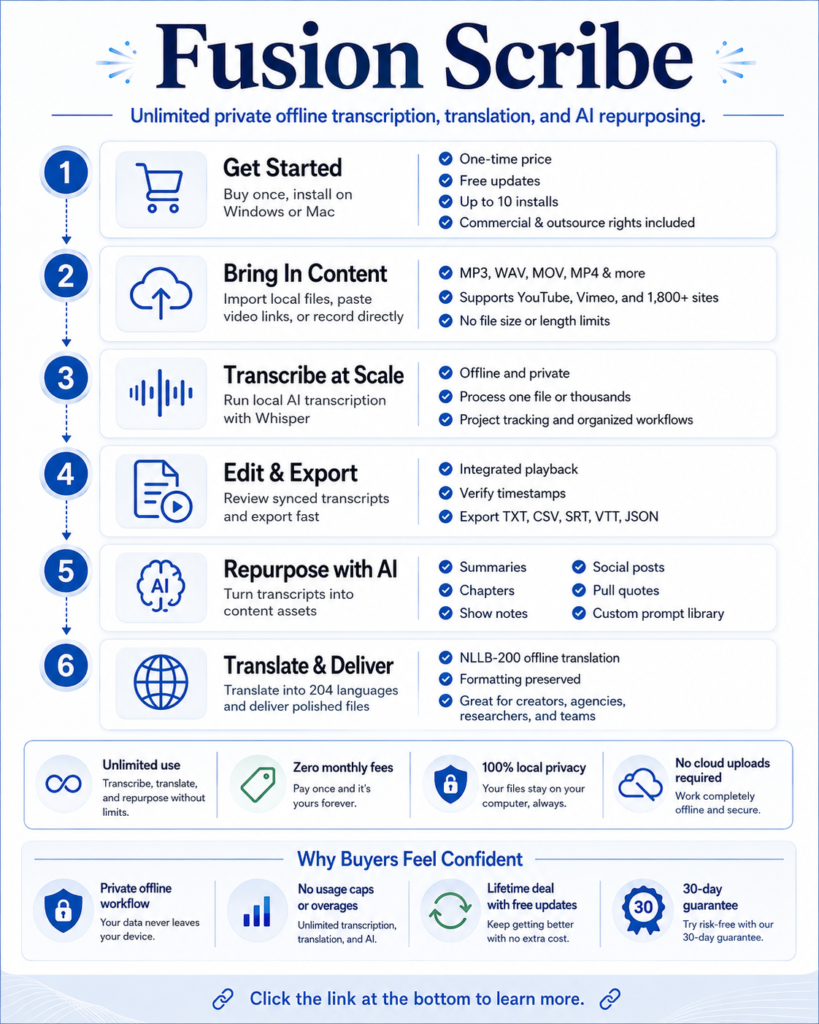
Step 1: Bring in Your Content
Upload any local audio or video files, paste in links (supported for YouTube, Vimeo, and 1,800+ sites), or record directly inside Fusion Scribe. No length, size, or format limits—MP3, WAV, MOV, MP4, and dozens more are supported.
Step 2: Select Your Engine
You can use the built-in local engine (powered by Whisper), which means everything stays offline. Or, if you want, connect your own API keys (OpenAI, Claude, Gemini, etc.)—all optional. For almost everyone, local will be faster and safer.
Step 3: Transcribe—One File or Thousands
Bulk drop huge lists of files/links, or work one at a time. Track progress, organize projects, and sort/revisit completed jobs easily.
Step 4: Edit & Export
Transcripts are automatically synchronized with integrated audio playback. Clean up the text, verify timestamps, and export in the format you prefer—for YouTube captions, blog posts, show notes, or analytics use.
Step 5: Analyze, Repurpose, and Summarize
Use the built-in AI library to extract chapters, generate pull quotes, build show notes, and craft social posts—all with proven, customizable prompt templates. Bulk-process everything in one sweep or with precise, per-row tuning.
Step 6: Translate At Scale—Offline, Unlimited
Select one or more languages (from 204 options!), use auto-detect for source language, and translate entire folders or project archives. No per-word fees, and all formatting/timestamps remain correct. Perfect for global reach or compliance needs.
Step 7: Deliver or Publish
Whether you’re a freelancer, an agency with client files, or an internal team, deliver polished TXT, SRT, VTT, CSV, or JSON files—ready for any downstream use.
What Actual Users Get: Specific, Real-Life Results
Skeptical readers want data, not hype. Here are actual outcomes. Fusion Scribe users report:
Podcast & YouTube Creators:
– Cancel $30/month Descript subscription after switching—recoup investment on first project
– Batch 20+ hours of podcast recordings into show notes and SEO blog posts in a single afternoon
– Generate caption files and social content directly, with no post-processing delays
Marketers & Agencies:
– Download and transcribe entire YouTube channels or playlists (500+ videos) without file limits
– Analyze customer webinar archives for feedback and summarize in 10+ formats for all platforms
– Translate client deliverables into five languages at once—saving thousands per campaign
Researchers & Teams:
– Drop 40-hour qualitative interview archives for HIPAA/FERPA-compliant transcription, 100% local, with instant access to summaries and key moments
– Create project libraries; revisit and refine transcripts or outputs as projects evolve.
Security-Conscious Users:
– Move all transcription workflows offline—never send legal, health, or proprietary data to the cloud again.
– Eliminate risk of hacks, leaks, or regulatory breach fines
Across the board, users see rapid time savings (hours to minutes), total control, and immediate cost reduction—after years or even decades of frustration with legacy tools.
Frequently Asked Questions (FAQ)
Q: Is Fusion Scribe really unlimited?
Yes! Once you buy, you can transcribe, translate, and analyze as much as you want—every file, every length, all local.
Q: Is my data ever uploaded to the cloud?
No, unless you connect an outside service yourself (optional). By default, everything stays on your device. Perfect for compliance and privacy.
Q: Does it work on both Windows and Mac?
Absolutely. You get installers for both, plus free updates and detailed tutorials.
Q: Can I use it for client work or team installs?
Yes. Commercial and outsource licenses are standard (up to 10 installs), so you can serve clients, agencies, or team/workgroup needs instantly.
Q: What languages are supported for transcription and translation?
Over 100 for speech-to-text and a massive 204 for translation, including tough and rare languages—see the [NLLB-200 project](https://ai.facebook.com/research/no-language-left-behind/) for full details.
Conclusion: Take Control, Save Money, and End Transcription Headaches Forever
The biggest takeaway after years of halfway solutions is this: If you create, analyze, or share spoken content regularly, you need a workflow that’s unlimited, affordable, private, and supercharged with the latest AI tools. The old model—monthly charges, upload risks, file limits, needing four apps when one should do all of that—worked against you.
But now, with Fusion Scribe, there’s an option for real professionals and everyday creators alike: a desktop powerhouse for $27 (with promo), lifetime updates, and no usage penalties—plus full commercial and outsource rights. Don’t miss out: lock in founder pricing, cancel your subscriptions, and finally own your words and your workflow.
